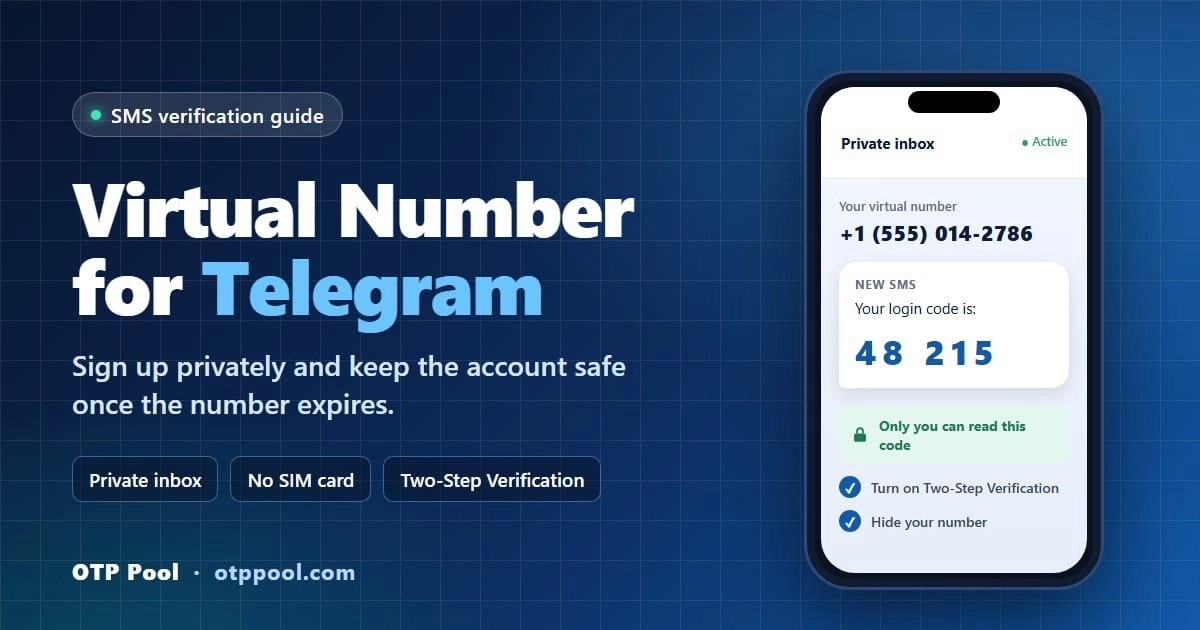
In most cases, yes, you can use a virtual number for Telegram. The app needs a number that can receive its verification code and that it's willing to send a code to, and a virtual number can do that without a SIM card. The trouble is the number itself. Free shared numbers are often already registered or banned, and once your access to a temporary number ends, you can't count on getting it back. It may later be used by someone else.
Below you'll find the options side by side, the OTP Pool sign-up in eight steps, and the settings that keep the account yours once the number is gone.
Quick answer: does Telegram accept virtual numbers?
Often, but not every number gets through. Telegram doesn't publish which numbers it accepts, and it can refuse to send a code to a number it considers risky. Three things usually decide the outcome:
Number history. Free public numbers are shared by everyone who visits the site, so many already have a Telegram account attached or were banned after earlier abuse.
Line type. Telegram's FAQ says accounts can only be connected to a mobile number, not a landline. VoIP numbers may also get more caution than mobile ones, so a mobile number helps but isn't a guarantee. See how mobile, landline and VoIP numbers differ.
Route and country. Each number reaches Telegram's SMS through a particular carrier connection, which we call a route, and some routes deliver more reliably than others. That's also why availability and price vary by country.
A private number removes the biggest risk of public inboxes: other people reading your code. It doesn't erase a number's history, so if Telegram says the number already has an account or is banned, cancel and pick another. The final say belongs to Telegram, not to the company that sells the number.
Why use a virtual number for Telegram?
Your Telegram account is tied to your phone number, and by default anyone who has that number saved can find your profile.
People use a second number for ordinary reasons. Channel owners and anyone buying or selling in marketplace groups want their real number kept away from strangers. Admins, support teams and small businesses run a separate work account so customer chats don't end up next to the family group. Travelers may no longer have their home SIM, or may not want to tie the account to a local SIM they'll drop in three months. And developers who test phone sign-up in their own product sometimes need a number that isn't a teammate's; OTP Pool has an API for automated tests of your own flows. Telegram bots don't need a separate account at all: you create them from your existing account with @BotFather.
A virtual number won't hide you from Telegram, and it doesn't make breaking the rules acceptable.
Telegram virtual number options compared
Option | Cost | Privacy | Works for later logins | Acceptance by Telegram | Risk of losing the account |
|---|---|---|---|---|---|
Free public inbox | Free | None: anyone can read the code | No | Poor: numbers are often already used or banned | High |
One-time private activation | Pay per activation: $0.01 to about $0.56 for Telegram on OTP Pool when checked (live price applies) | Code visible only in your private inbox | No: one code in a short access window | Varies by route, never guaranteed | Medium (lower with Two-Step Verification) |
Rental number | Priced by duration: Telegram rentals from $4.90 across 30 countries at the time of writing | Private inbox | Yes, while the rental is active | Varies by route, never guaranteed | Medium after expiry (lower with Two-Step Verification) |
Anonymous +888 number (Fragment) | Paid in Toncoin (TON) at market price, usually far more than the other options | High: no SIM or carrier | Yes: codes appear on Fragment while the number is in your wallet | Accepted: built for Telegram sign-up | Low, unless you lose the wallet or transfer the number |
Prepaid SIM or eSIM | Plan or top-up cost | Low: many countries require ID to register a SIM | Yes, while you keep it active | Usually good | Low if kept active |
Google Voice, TextNow and similar apps | Free | Medium | Yes, while the number stays active | Mixed: these are VoIP numbers | Medium: inactive numbers can be reclaimed |
For most people who want privacy on an everyday account, a private one-time activation followed by Two-Step Verification is the practical choice. If you want a number you'll keep for years and you're comfortable paying in crypto, a Fragment number is the option Telegram itself built.
Ready for a private Telegram number? Compare live Telegram prices by country.
Telegram without a phone number: the +888 Fragment route
Telegram still asks for a number at sign-up, but since December 2022 that number doesn't have to come from a SIM. Telegram also accepts anonymous +888 numbers sold on Fragment, a blockchain marketplace where you pay in Toncoin (TON). These numbers can't receive SMS or calls and only work for Telegram: the login code shows up on Fragment, inside the crypto wallet that holds the number.
The catch is cost and custody. A +888 number sells at market price, usually far more than a one-time activation, and whoever controls the wallet controls the login codes. Lose the wallet or sell the number, and the account goes with it. If you simply want to keep your personal number private, a private activation is cheaper and quicker to set up.
How to get a virtual Telegram number with OTP Pool (step by step)
OTP Pool sells one-time activations and rentals, and every incoming SMS shows up in a private inbox on your dashboard. This walkthrough uses a one-time activation.
Create an OTP Pool account. You need one for paid activations, the wallet and the private inbox. Free public numbers need no account, but they're shared, which defeats the purpose here.
Top up your wallet. Add only what you need. The payment methods on offer appear at checkout and can vary by country.
Choose Telegram. Open the Telegram verification page or pick Telegram in the live catalog.
Pick a country and check the price. Prices depend on the country, the number type and current stock. You pay the price shown when you activate.
Activation or rental? A one-time activation gives you a single code during a short access window. A rental keeps the same number for a set term and can receive several messages. Telegram rentals are currently requested through OTP Pool support (the Rent button on the Telegram rental page leads to the contact page), not through the self-serve checkout.
Enter the number in Telegram. Tap Start Messaging, select the country (or check the country code Telegram fills in), then type the national number: digits only, with no country code, leading zero, spaces or dashes. Request the code once. A mistyped number may not be eligible for credit.
Read the code in your dashboard. The SMS shows up in your private OTP Pool inbox while the activation runs. Type it into Telegram and finish your profile.
No code? Cancel. If no SMS arrives, cancel the activation. Eligible activations with no SMS can be credited back to your balance (see "Cancel and credit" below).
Telegram may also ask for a login email to receive future codes. Use an inbox you'll keep long term.
Do you need an app?
No. The app-store "virtual number" apps do the same job inside an app. OTP Pool is a website, so you can open it in your phone's browser, switch to Telegram and type the code. Whatever you use, make sure the inbox is private, not shared.
Choosing a country
There's no single "best" country for Telegram. Price and availability change as stock moves, so compare a few. Here is what the Telegram page listed for a one-time activation on November 17, 2026:
Country | One-time activation price |
|---|---|
South Africa | $0.01 |
Bangladesh | $0.01 |
Indonesia | $0.14 |
Canada | $0.26 |
United States | $0.50 |
India | $0.56 |
The United Kingdom wasn't listed that day. The price shown at activation is the one you pay.
Secure the account right after sign-up
Once your access ends, OTP Pool doesn't guarantee you can get the same number back, and it may be reassigned. Telegram's own FAQ puts it bluntly: whoever has the number, has the account. If a later holder requests a login code, the SMS goes to them, and your Two-Step Verification password is what keeps them out. The whole setup takes about five minutes:
Turn on Two-Step Verification. Go to Settings > Privacy and Security > Two-Step Verification and choose a password you don't use anywhere else. Once it's on, the phone number alone is no longer enough to log in.
Add and confirm a recovery email. Telegram offers this during the same setup. It's how you reset the password if you forget it.
Hide your number. In Settings > Privacy and Security > Phone Number, set Who can see my phone number to Nobody and Who can find me by my number to My Contacts. People who already have the number saved in their contacts can still see it.
Set a username. People can then reach you at @yourname without ever seeing your number.
Stay logged in on a second device. Install Telegram Desktop or open Telegram Web. While a session stays open, Telegram can send new login codes there instead of by SMS.
Check your devices. Settings > Devices lists every active session. End any you don't recognize.
Check the self-destruct timer. Telegram deletes accounts that stay offline for a set period (its FAQ currently cites 18 months), and you can change it. In Settings > Privacy and Security, open the account deletion setting (If Away For) and pick the longest period offered.
The second device matters for one more reason. If someone who later holds the number asks Telegram to reset your password, the reset isn't instant, and you can cancel it from a device where you're still logged in.
If the account grows into something important, such as a channel with a large audience, use Telegram's Change Number option to move it to a number you'll keep for years.
What happens when the temporary number expires?
Nothing, at first. You stay logged in, because your sessions belong to the account, not to the SIM. The next time you log in on a new device, Telegram may send the code to your logged-in devices, as a message from its official account, instead of by SMS. If you're logged out everywhere, the code goes by SMS, and by then a one-time activation has ended: any later SMS would go to whoever holds the number next.
Want an SMS fallback for the first days, in case you get logged out of every device before your security settings are in place? A rental number keeps the same number for a set term of 1 to 30 days and can receive several messages while active. Telegram rentals are listed in 30 countries from $4.90; for now you request one through support.
Two limits to plan around: rentals can't currently be renewed from the dashboard, and an expired number can't be recovered. A rental is a longer window, not ownership. Our guide on reusing a temporary phone number covers second codes and expiry in detail.
Fixing Telegram verification problems
The code doesn't arrive
Give it a minute or two, then check in this order:
Format. Make sure the country code wasn't entered twice and the number has no leading zero (more under "Invalid phone number" below).
Resends. Don't keep tapping resend: repeated requests can delay delivery or trigger a limit.
Where Telegram sent it. Read the screen after you submit the number (see the next section).
The number itself. If nothing arrives, cancel the activation and try another number or country.
For a wider checklist, see why verification codes don't arrive.
"We've sent the code to the Telegram app on your other device"
The number is already registered to a Telegram account, so the code went to that account's open sessions, not to your SMS inbox. Don't request the code by SMS or call. Accessing an account that isn't yours is unauthorized access and can be illegal. Cancel the activation and pick a different number.
"This phone number is banned"
Telegram has blocked that number, usually because of earlier misuse by a previous user. Cancel the activation (eligible activations with no SMS can be credited back to your balance) and choose another number. If the ban concerns your own account, don't sign up again with a new number. That is ban evasion and breaks Telegram's terms; appeal through Telegram instead.
"Too many attempts, please try again later" (flood wait)
You've hit a rate limit on your device or connection, and it can last several hours. Stop retrying. Don't try to work around the limit with other numbers, devices or connections. Wait for it to expire, then request the code once.
"Invalid phone number"
This is usually a format problem. A UK mobile written locally as 07xxx becomes +44 7xxx in international format, so drop the leading zero. An Indian mobile is +91 followed by the 10-digit number, with no leading 0. And if you type 44 again in the number field after selecting the United Kingdom, Telegram reads the country code twice.
Cancel and credit: how the refund rule works
If no SMS arrives, cancel the activation. Under the refund policy, cancelled activations that receive no message may be credited automatically where supported, and approved refunds normally come back as OTP Pool account credit. Other cases go to support for review. Exclusions include a code that was delivered, a number that was used, shared, blocked or set up incorrectly, decisions Telegram makes about the account (such as a later ban), and prohibited or unlawful use. Submit any claim as soon as possible with your order ID, a description, timestamps and screenshots.
Use virtual numbers responsibly
A virtual number is a privacy tool, not a way around the rules. OTP Pool isn't affiliated with Telegram and can't guarantee that Telegram will accept a given number. When you sign up, you accept Telegram's Terms of Service, which ban using the service to spam or scam people. OTP Pool's terms prohibit fraud, harassment, unsolicited messaging, identity abuse, unlawful surveillance and attempts to bypass platform safeguards.
So don't use virtual numbers to mass-create accounts, send spam, fake engagement, impersonate anyone or come back after Telegram has banned you. Rules on virtual numbers and messaging apps also vary by country, so check what applies where you live.
Get a Telegram number on OTP Pool
Open the Telegram verification page, compare live prices by country, and start with a one-time activation. If you need the same number for several days, ask OTP Pool support about a Telegram rental. Then, before you join a single group, turn on Two-Step Verification.
Questions and answers
How do I get a virtual Telegram number?
Choose a provider that gives you a private inbox, select Telegram and a country, and enter that number on Telegram's sign-up screen. The code appears in your dashboard. Type it in, then turn on Two-Step Verification straight away. On OTP Pool, a one-time Telegram activation starts from $0.01 depending on the country (full steps above).
Can I use a Google Voice number for Telegram?
Sometimes. Google Voice numbers are VoIP numbers, and results with Telegram are mixed: some people verify without trouble, others never get the SMS. A personal Google Voice account is only available in the US and needs an existing US number to set up. Google can also reclaim a number that stays inactive, so if you use one, keep it active and turn on Two-Step Verification.
How can I get a free US number for Telegram?
Free public inbox sites list US numbers, but anyone can read the messages, and most have already been used for Telegram. Even OTP Pool's own free public numbers carry a warning against using them for password recovery or two-factor codes, and a Telegram login code is exactly that. Use one only for a throwaway test account with no personal data, since anyone reading the inbox could log in. For a free US number only you can read, Google Voice (which needs an existing US number) and TextNow are the usual choices, but both are VoIP and both can be reclaimed if inactive. More in our guide: Are free SMS numbers safe?
Can I get Telegram without a phone number?
Not without any number, but you can sign up without a SIM. Telegram accepts anonymous +888 numbers bought with Toncoin on Fragment, and their login codes appear on Fragment instead of arriving by SMS (see the Fragment section above).
Can I use a fake phone number on Telegram?
A made-up number won't work, because Telegram has to deliver a code to it. A virtual number is different: it's a real number that receives real SMS, just without a SIM card in your phone. What matters is how you use the account. Spam, scams and ban evasion break Telegram's terms whatever kind of number you sign up with.
What is the best virtual number for Telegram?
It depends on how long you need the number itself. A one-time activation covers most private accounts. A rental gives you a few days in which you can log back in by SMS if you need to. If you want to hold a number for years, go with a Fragment +888 number or a SIM you keep topped up. Whichever you choose, turn on Two-Step Verification on day one.
Sources and references
- Telegram FAQ: login codes, Two-Step Verification, phone number privacy, account self-destruction
- Telegram Terms of Service
- Fragment: anonymous +888 numbers
- TechCrunch, December 7, 2022: "Telegram is auctioning phone numbers to let users sign up to the service without any SIM"
- Google Voice Help: availability and inactive numbers
- OTP Pool Refund Policy
- OTP Pool Terms and Conditions
- free public numbers
- Are free SMS numbers safe?